
Adding an Attachment to a Purchase Order
You can add external documents to the purchase order.
- Go to your Purchase Order.
- Scroll down and click the Attachments area at the bottom of the page.
-
Click Documents and then New Document.
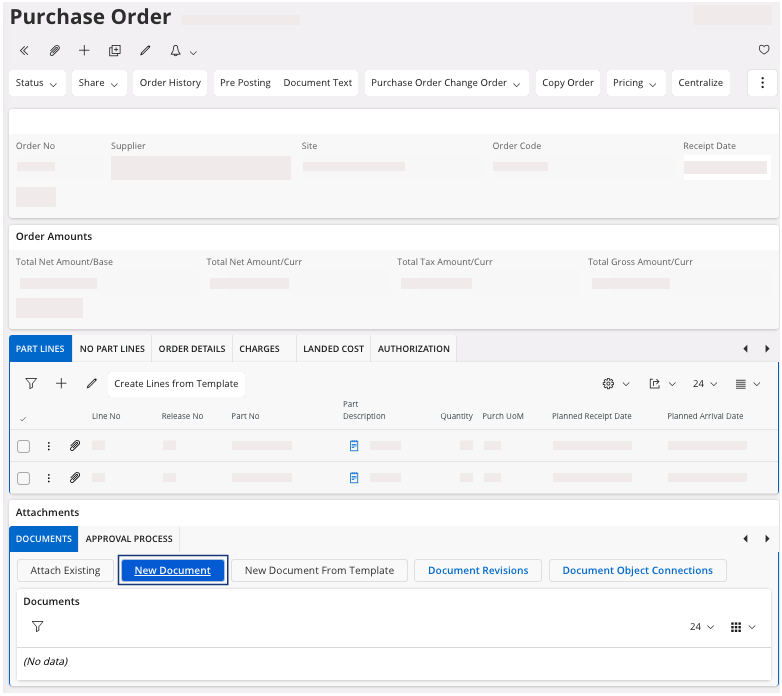
The New Document pane appears. - Select your file.
-
In the Document Class
field:
- To add a packing slip: choose the document class 153 corresponding to your company. For example, for MPF it will be: DOC MPF153.
- To add a CER or another document for a purchase order: choose the document class 181 corresponding to your company. For example, for MPF it will be: DOC MPF181.
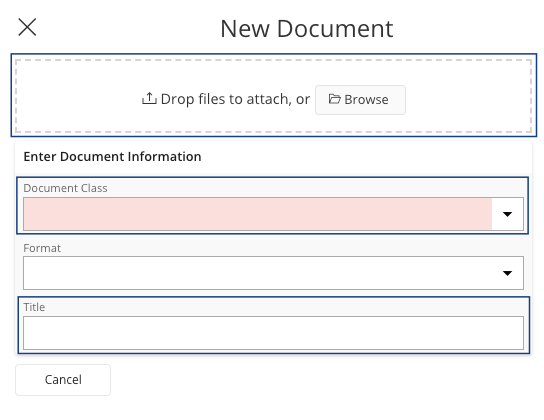
- If you need, you can edit the title of the file.
- Click OK.