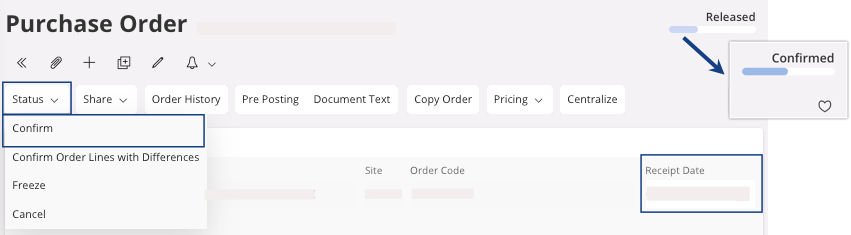
Changing the Status to Confirmed
If your supplier confirm the purchase order and/or a date of delivery, you can update your purchase order information.
- On the page Purchase Order, click .
-
You can change the field Receipt Date if you receive the
information from your supplier.