
Changing the Purchase Order Status to Released
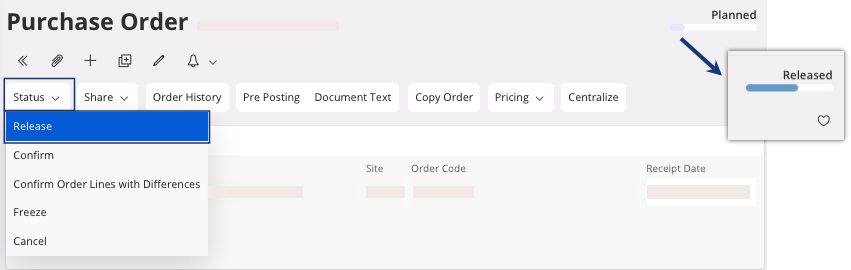
Once your lines with all the product(s) that you want to buy have been created, you can release your purchase order.
- Go to your Purchase Order page.
-
Click .
- You can print a summary document of the order for your supplier, perform Printing a Purchase Order.
- You can change the purchase order status to confirm if your supplier validates it, perform Changing the Status to Confirmed.
- If you do not need these information, you can directly process the creation of the receipt, perform Creating a Receipt.