
Matching an Invoice with Several Purchase Order Lines
On the Posting
Proposal
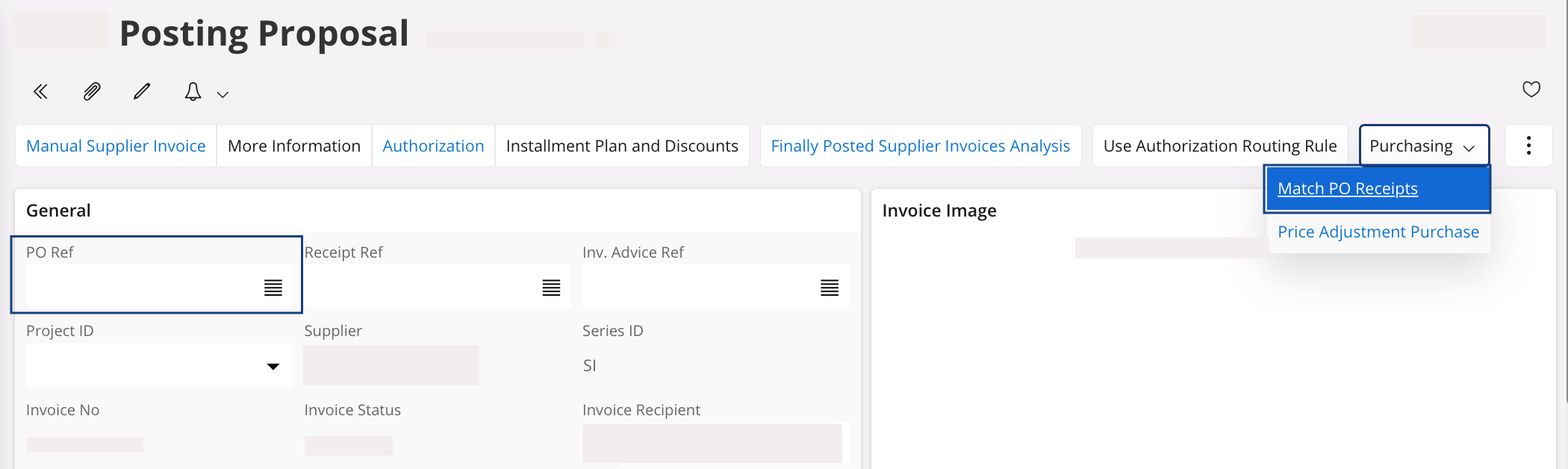
page, in the General area, you have
two options:
- If you have just several purchase orders corresponding, you can enter their number in the field PO Reference.
-
If you have a lot of purchase orders corresponding, do not fill the field
PO Reference, you will select
your purchase orders through the next step.
-
In the header, click .
-
Select the purchase orders that you want to match with the invoice and
click OK.
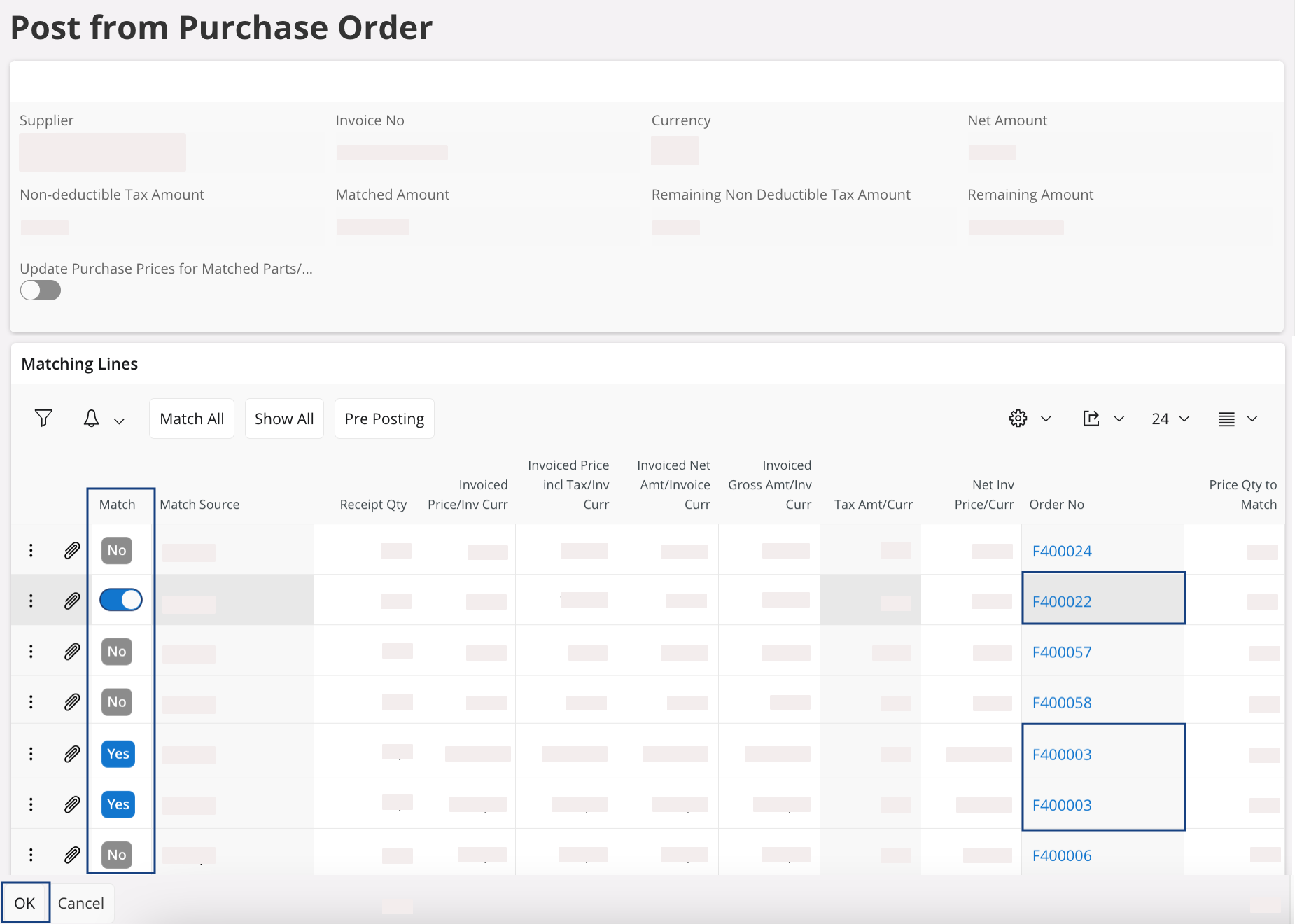
Note:In this example, we match the purchase order numbers F400022 and F400003.
-
In the header, click .