
You have a currency variance or currency rounding issue
Condition
You have an issue regarding currency amount.
Remedy
- In the Posting Lines area, click New + to add a line.
-
Adjust the fields:
Example:
In the case below, you can see a discrepancy of 0.04 GBP for an invoice in EUR. This is due to exchange rate rounding.
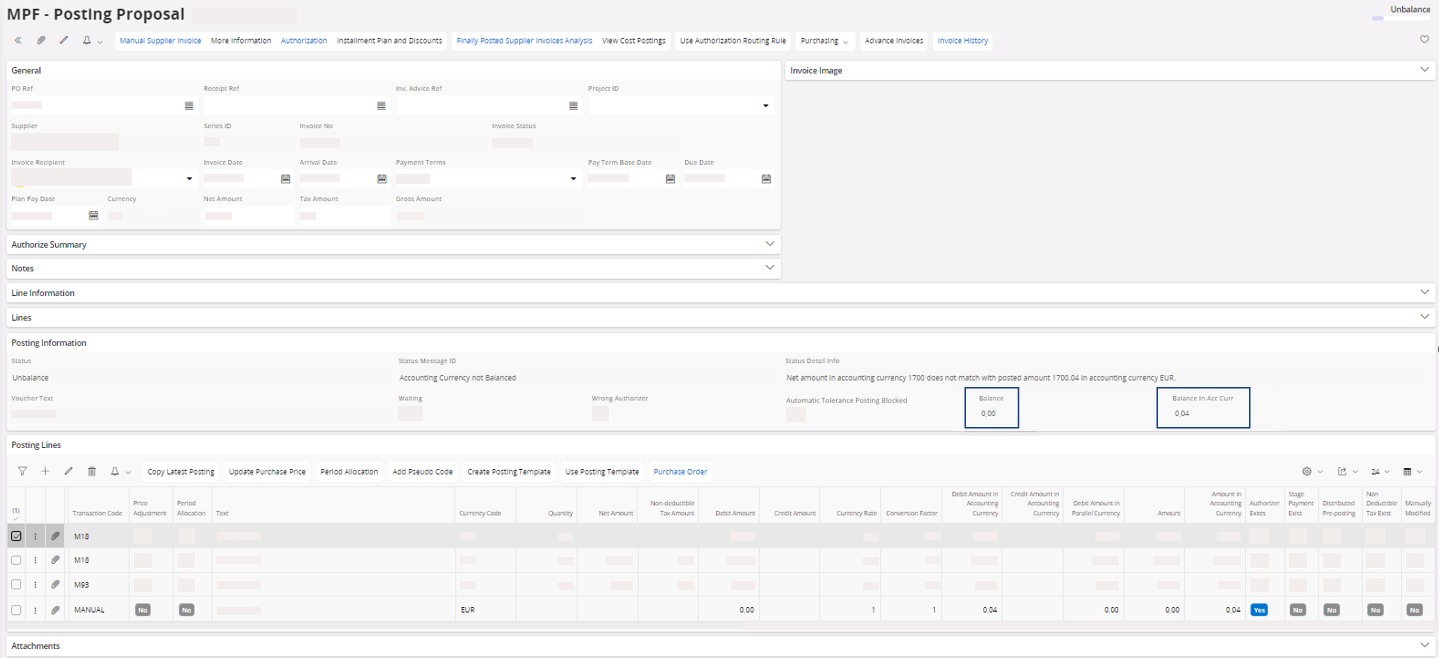
In order to solve it, we add a line in the account dedicated to variance, and remove for this case 0.04 in the Amount in Accounting Currency.
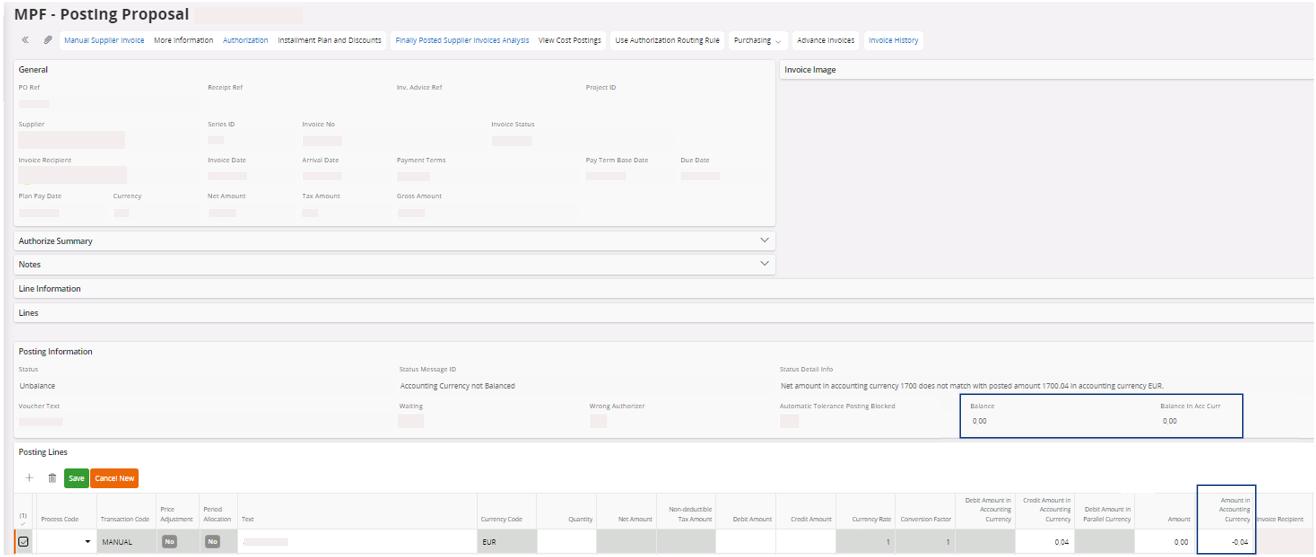
In the Posting Information area, check the Status Message ID, if you do not have any issue, you can perform Approving the Invoice.