
The lines did not match automatically
In case of complex matching, you can open a specific page to match correctly your received lines.
Condition
The purchase order lines and invoice lines do not match.
Remedy
-
On the page Posting
Proposal, in the header,
click .
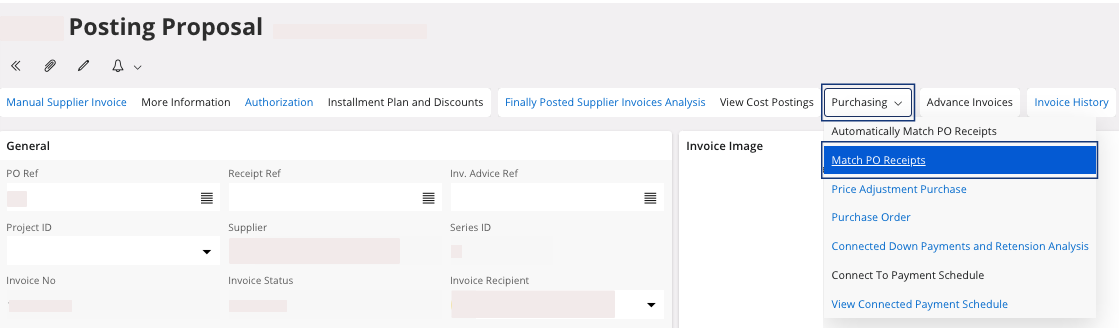
A new page appears, Post from Purchase Order. -
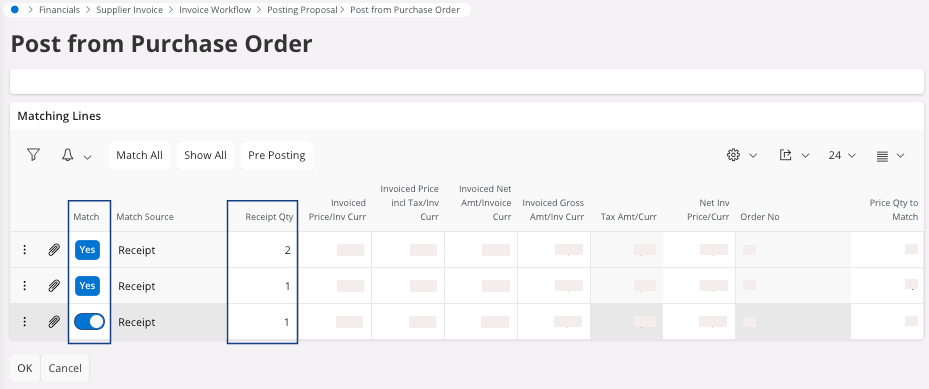
In the section Matching Lines, you can see the
lines that come from your purchase order. If they do not appear, click
Show All.
The lines that appear may match the invoice lines.
-
On those lines:
- You can select the lines that have not been selected: in the field Match, turn on the toggle, it selects the line and displays Yes.
- You can enter your received quantity in the field Receipt Qty to match with the invoice.
-
Click OK.
You can go back to your Posting Proposal page. In the area Posting Information, check the Status Message ID, if you do not have any issue, you can perform Approving the Invoice.